
Top Threats dashboard.
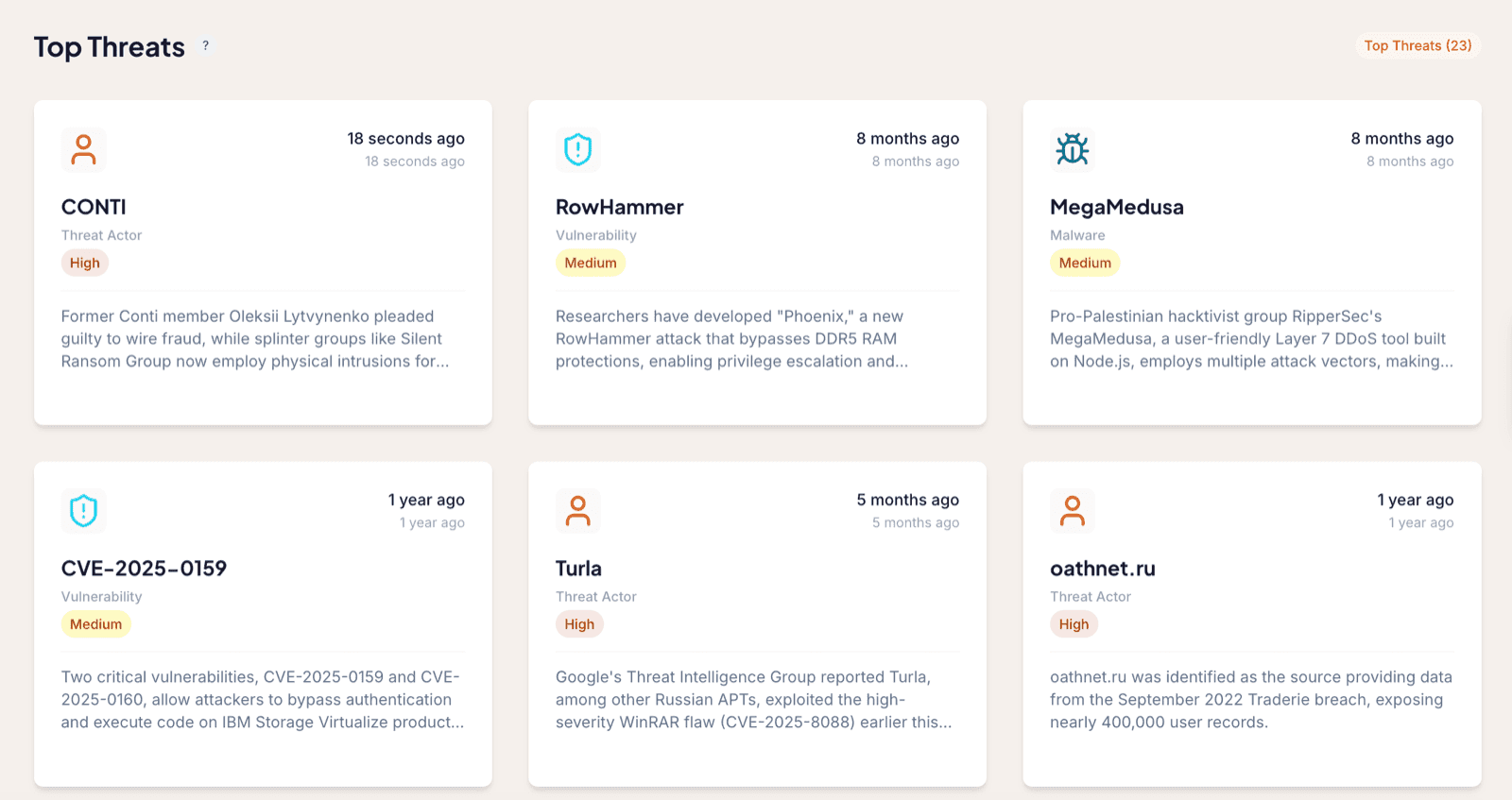
The Top Threats dashboard shows only the handful of Threat Entities you have marked as Top Threats. It is built as a single pane of glass for CISOs and managers, who often keep it projected on a screen in the office so leadership can see the state of the threats that matter most at a glance.
What each card shows
Every card on the dashboard is one of your Top Threat entities. Each card displays:
- The name of the entity.
- The type (Threat Actor, Malware, or Vulnerability).
- The criticality you have set for it.
- A one-sentence latest development, describing the most recent thing that happened around it and how long ago that was.
The most recently updated entities float to the top-left of the dashboard, so the freshest developments are always the first thing in view.
How many Top Threats to keep
Resist the urge to fill this dashboard. It works best when the list is short enough to take in at a glance. Roughly six to nine Top Threats is a good number to have in total.
You mark an entity as a Top Threat from its Threat Card. See Threat Entities for how criticality and the Top Threat setting work together.
Where to go next
- The Recent Threats dashboard is your main entry point, showing all new Events in chronological order.
- The Critical Threats dashboard ranks those same Events by criticality.
Frequently asked questions
How many Top Threats should I have?
Keep the list short. Roughly six to nine Top Threats works well, so the dashboard stays a clear single pane of glass rather than a crowded list.
Who is the Top Threats dashboard for?
It is built for CISOs and managers who want one screen showing the latest developments on the threats they care about most, often projected on a screen in the office.