
Critical Threats dashboard.
The Critical Threats dashboard shows the same Events as the Recent Threats dashboard, but it orders them by criticality rather than by time. The most relevant and severe reporting floats to the top, so you can focus on what matters most instead of scrolling through everything chronologically.
How criticality is inherited
You set a criticality on each of the things you care about: every Threat Entity, Intelligence Requirement, Asset, Supplier, and so on. When any of those entities are mentioned in a report, the Event inherits the highest criticality it finds among them.
For example, if a report mentions three entities, one set to low, one to medium, and one to high, the Event receives a high criticality rating. The single highest value wins, which keeps the most important reporting at the top where you will see it first.
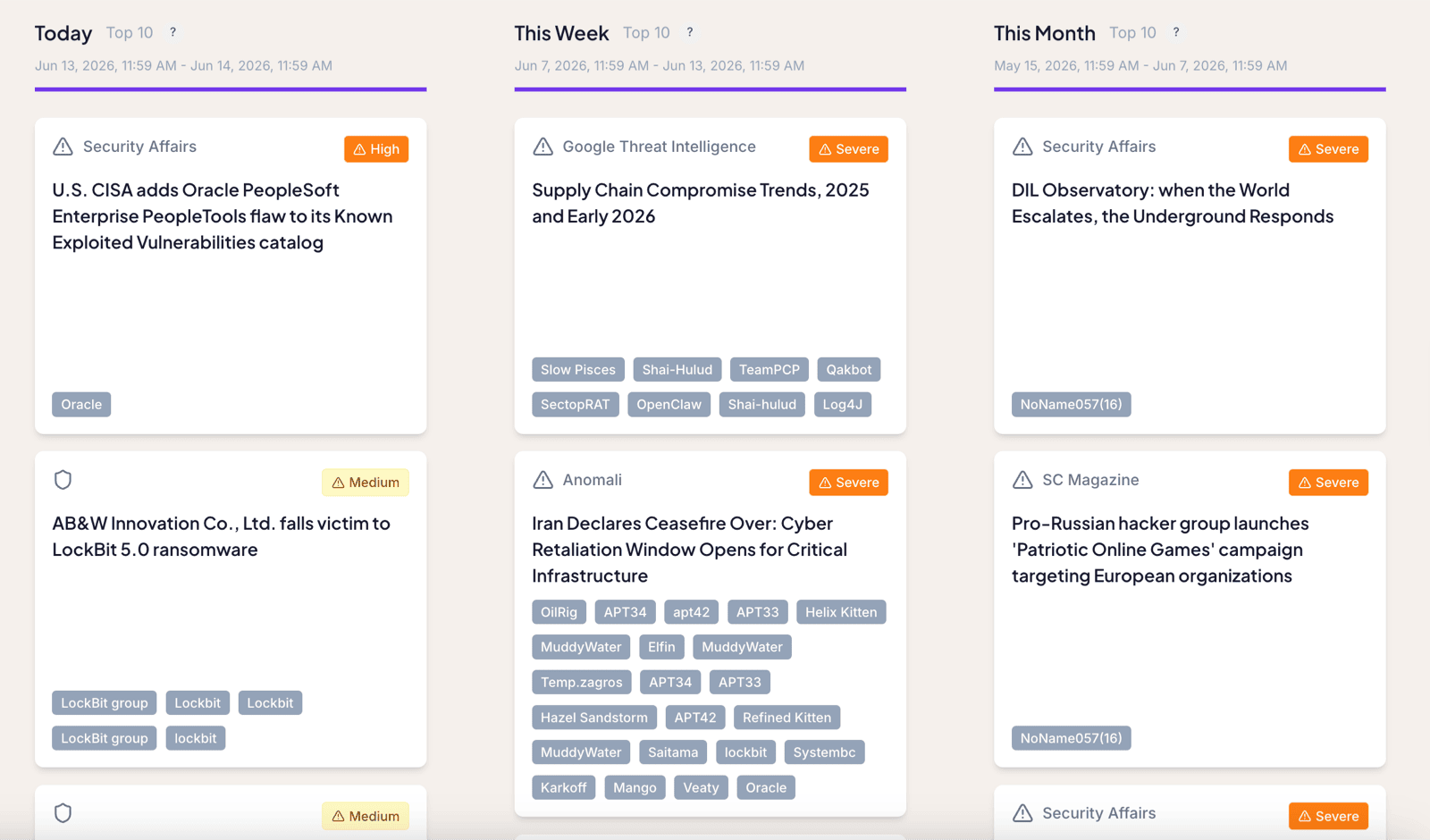
The three columns
The dashboard splits Events into three time windows:
- Today shows the most important Events of the current day.
- This Week shows the most important Events of the current week.
- This Month shows the most important Events of the current month.
The highest-criticality Events tend to collect under This Month, because the longer the window, the more severe reporting accumulates in it. That column is usually the busiest, which is useful: you generally work longer on a serious Event than you would burn through it in a single day.
Criticality is something you control. Adjusting the criticality on a Threat Entity, Intelligence Requirement, Asset, or Supplier changes how the Events that mention it are ranked here. See Threat Entities for how to set it.
Where to go next
- The Recent Threats dashboard shows the same Events ordered by time instead of criticality.
- The Top Threats dashboard shows only the handful of Threat Entities you have marked as Top Threats.
Frequently asked questions
How does an Event get its criticality rating?
An Event inherits the highest criticality among the entities mentioned in it. If a report names a low, a medium, and a high criticality entity, the report is rated high.
Why is the This Month column usually the busiest?
The longer a window runs, the more high-criticality Events accumulate in it, so This Month naturally collects the most. That is useful, because severe Events tend to need more time to work through than a single day.