
Threat Entities.
A Threat Entity is a Threat Actor, a piece of malware, or a vulnerability. Each one sits on a single canonical record that Liberty91 maintains: deduplicated, with its aliases merged, its description written from the reporting, and kept current as new reporting arrives.
One identity, your evidence
The canonical record fixes the identity. There is one APT35, not one per customer, and the aliases are merged into it so APT35 and Charming Kitten are the same entity rather than two half-complete profiles you have to reconcile yourself. The same actor being named differently by everyone who reports on it is one of the more tedious problems in threat intelligence, and it is solved once, centrally, for everyone.
What hangs off that identity is yours. The reporting attached to the entity, the indicators associated with it, the occurrences on its timeline, and the techniques observed against it are all drawn from the sources you are entitled to see. Two customers looking at the same actor can therefore see genuinely different profiles: the one with more licensed feeds, more premium vendor reporting, and their own uploaded research sees an actor described in more depth, with more corroboration behind it and more indicators to act on.
This is the point of the design rather than a side effect of it. You get the shared work of identity resolution for free, and everything you invest in sources compounds into a richer picture of the adversaries you actually care about. See Threat Events for the entitlement rules that decide what you see.
What is on an entity page
The page opens with the name and aliases, then the description, which usually begins with a Latest Developments paragraph covering what has changed since the profile was last written.
For Threat Actors you also get the origin attributed to them and the sectors and countries they target. Vulnerabilities carry their CVE identifier and severity scoring.
You can rearrange the panels below the profile to suit how you work, so the order described here is the default rather than a fixed layout.
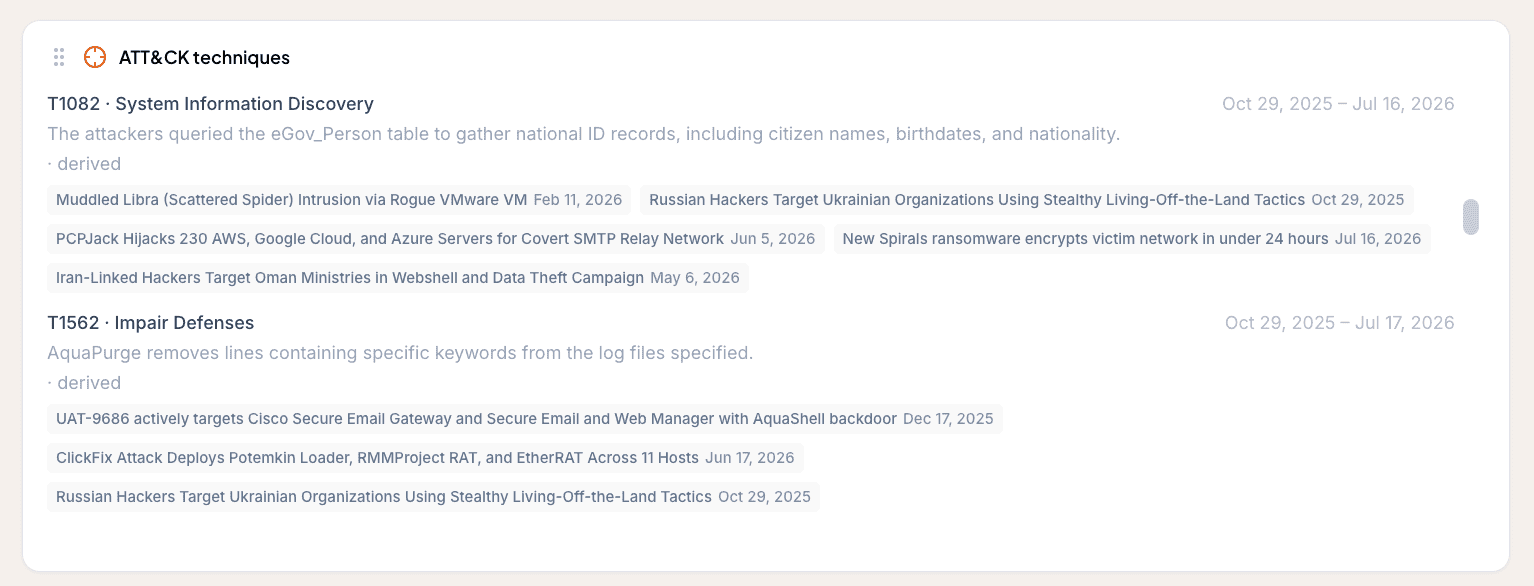
ATT&CK techniques
The techniques panel is drawn from reporting rather than from a static catalogue. A technique appears because a report documented this actor using it, and each one shows when it was first and last observed, along with the Threat Events that observed it and the dates they did.
Each technique also comes with a short account of how it was used in the campaigns reported, not just the fact that it was. The difference matters when you are turning an actor profile into a detection: T1566 tells you to expect phishing, and the description tells you what the phishing actually looked like.
That grounding has a consequence to state plainly: some actors show few techniques, or none at all. This is not a gap in the data. It means little has actually been documented, and an empty list that reflects that is more useful than a plausible-looking one assembled from association.
Relevance to your organization
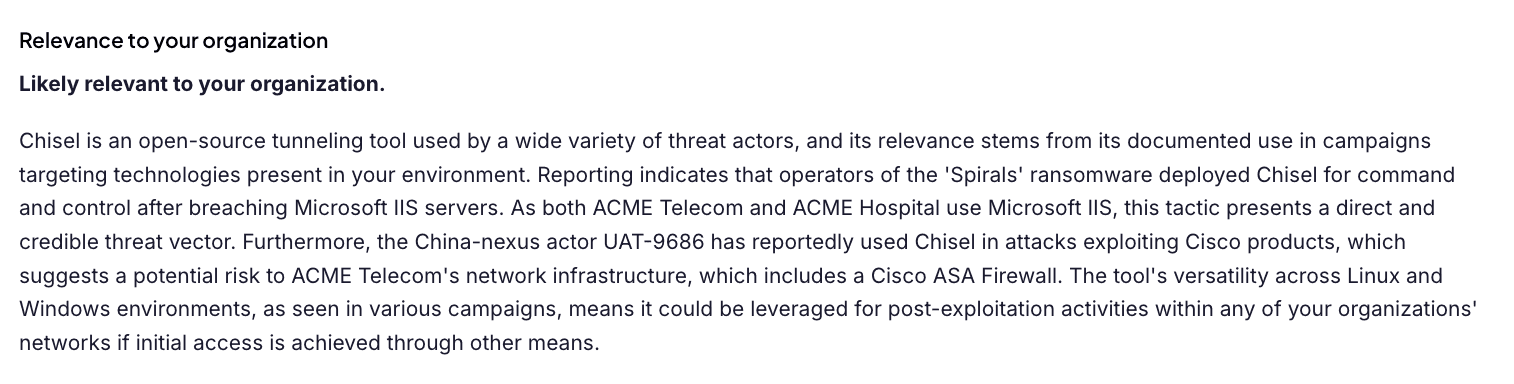
The entity description carries a Relevance to your organization assessment: what this actor, malware family, or vulnerability means for you specifically, written from your organizations' sectors, countries, watched regions, technologies, and suppliers.
It opens with a plain judgement, then explains itself in terms of what you actually run: a tunneling tool is relevant because reporting ties it to campaigns against a technology on your Asset list, not because it is generically popular. The assessment is produced for you as part of the profile, so there is nothing to click.
Timeline
The Timeline lists the Threat Events this entity has been involved in, in order. This is the entity's activity as it actually unfolded rather than a flat list of links, which is what you want when the question is what an actor has been doing lately.
The timeline is also the working surface. Select the occurrences you care about and act on the selection:
- Generate a report on them. Pick one or more Organizations, choose the chapters to include, and optionally point the report at a specific Intelligence Requirement to focus it. See Report on a threat entity or requirement.
- Push them to MISP or a webhook, if you have those Modules turned on.
- Download them as a STIX bundle for anything else that speaks STIX.
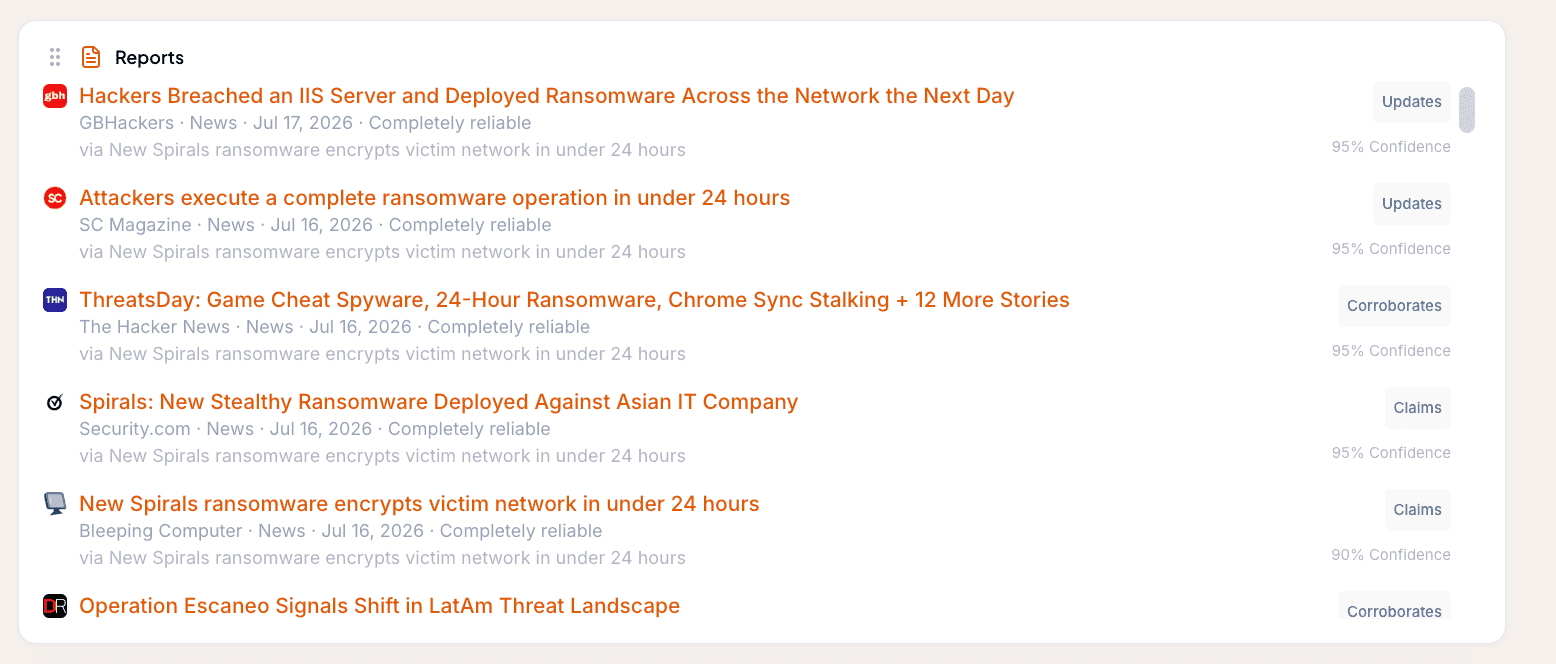
Reports
The Reports panel lists the individual source reports behind those occurrences. The timeline answers what happened, the reports panel answers who said so, and keeping them apart stops five articles about one campaign from reading as five things the actor did.
Threat Graph
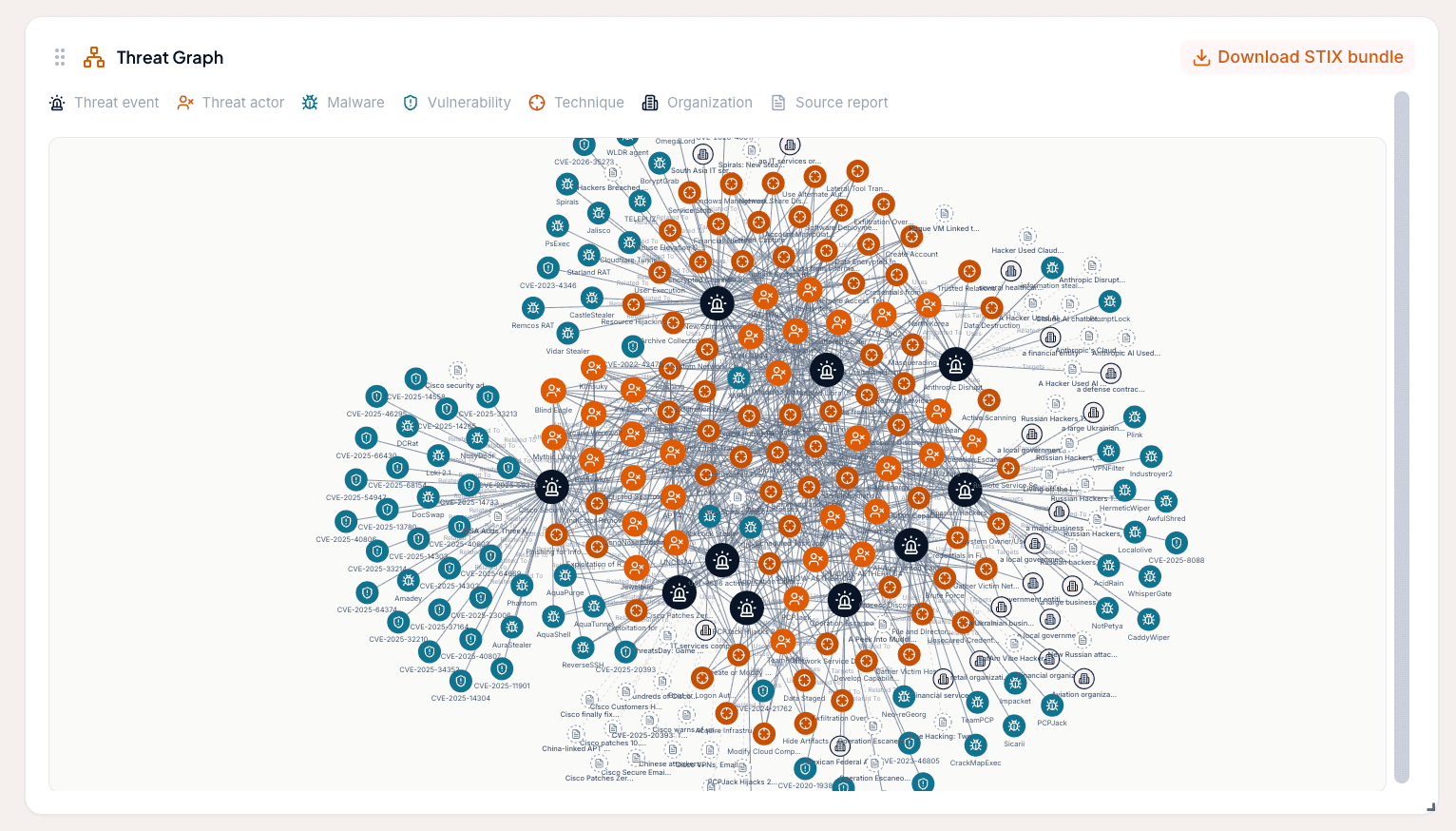
The Threat Graph shows the entity's first-degree relationships: the malware an actor uses, the vulnerabilities it exploits, the other entities it appears alongside. You can download the graph as a STIX 2.1 bundle, which is the cleanest way to get a structured view of an entity into a TIP such as MISP or OpenCTI.
Indicators of Compromise
The IOC table lists the indicators associated with the entity, each with its decaying score, its confidence, and its verdict. Those are three different numbers answering three different questions, and the table makes more sense once you know which is which: see IOC enrichment and decay scoring.
Frequently asked questions
What types of Threat Entity are there?
Three: Threat Actors, malware, and vulnerabilities. Each has a single canonical record with its aliases merged into it, so an actor known by five names is one entity rather than five.
Will my view of an actor look the same as another customer's?
Not necessarily. The identity is shared, but the evidence attached to it is yours: the reporting, indicators, and observed techniques you can see are the ones your sources entitle you to. Bring in more sources and your profile of that actor gets deeper.
What is the difference between the Timeline and the Reports panel on an entity?
The Timeline lists the Threat Events the entity was involved in, so it shows what happened and when. The Reports panel lists the individual source reports behind those occurrences, so it shows who said so. Several reports about one campaign appear once on the timeline and several times in the reports panel.
Why do some Threat Actors show only a few techniques?
Techniques are drawn from actual reporting rather than a static catalogue, so an actor shows the techniques that have genuinely been observed and dated. A short list means little has been documented, and that is information too.