
Report on a threat entity or requirement.
Last updated 14 Jun 20261 min read
When you want a report on a specific threat rather than a single event, you can build one straight from a Threat Entity or an Intelligence Requirement. You select the events to include, pick the organizations to tailor it for, and choose which chapters appear. This works the same way from a Threat Actor, Malware, Vulnerability, or Intelligence Requirement.
How to report on selected events
- Open the Threat Actor, Malware, Vulnerability, or Intelligence Requirement you want to report on.
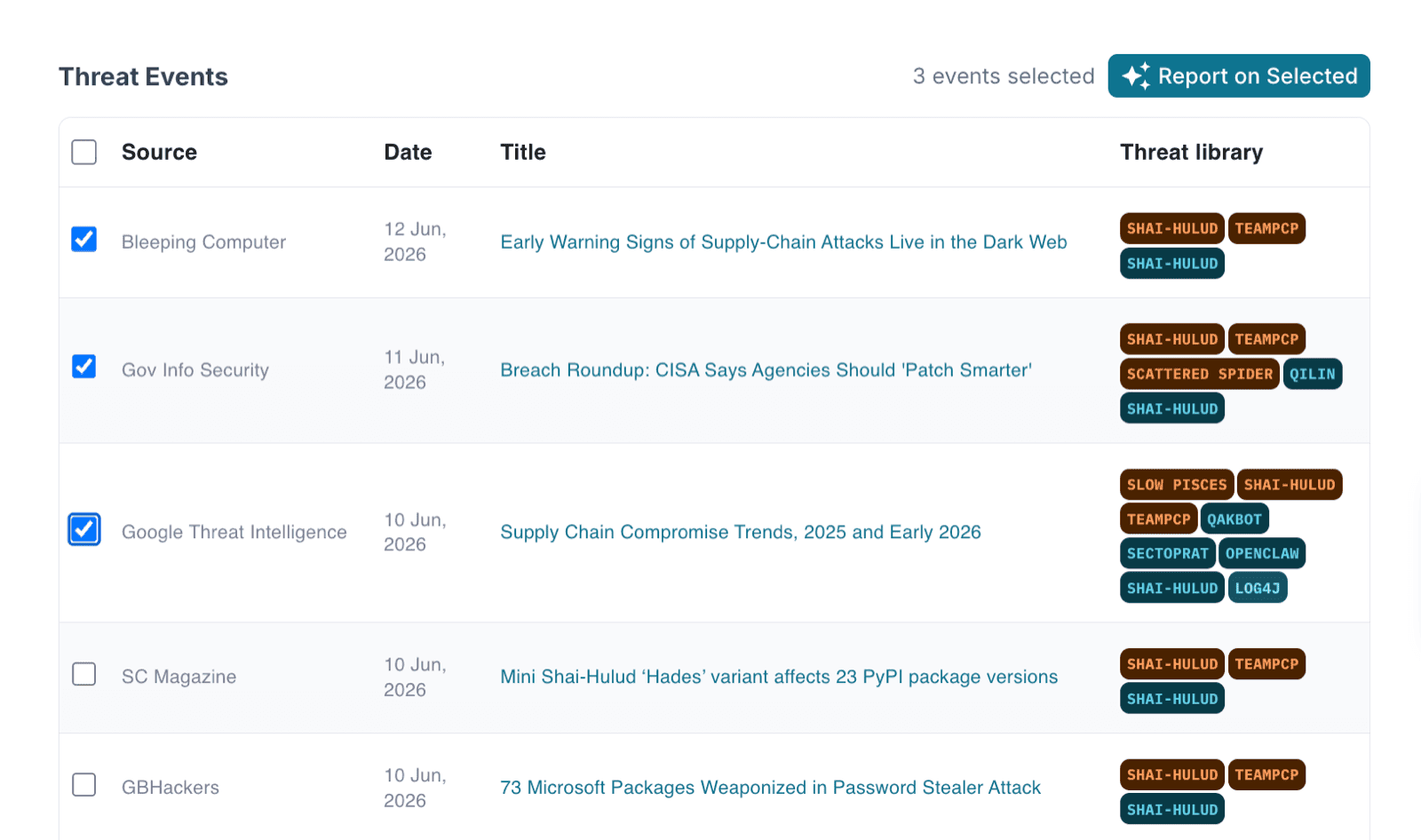
- Scroll to the linked Events at the bottom of the page.
- Select the Events you want to include in the report.
- Click Report on selected.
Tailor the report
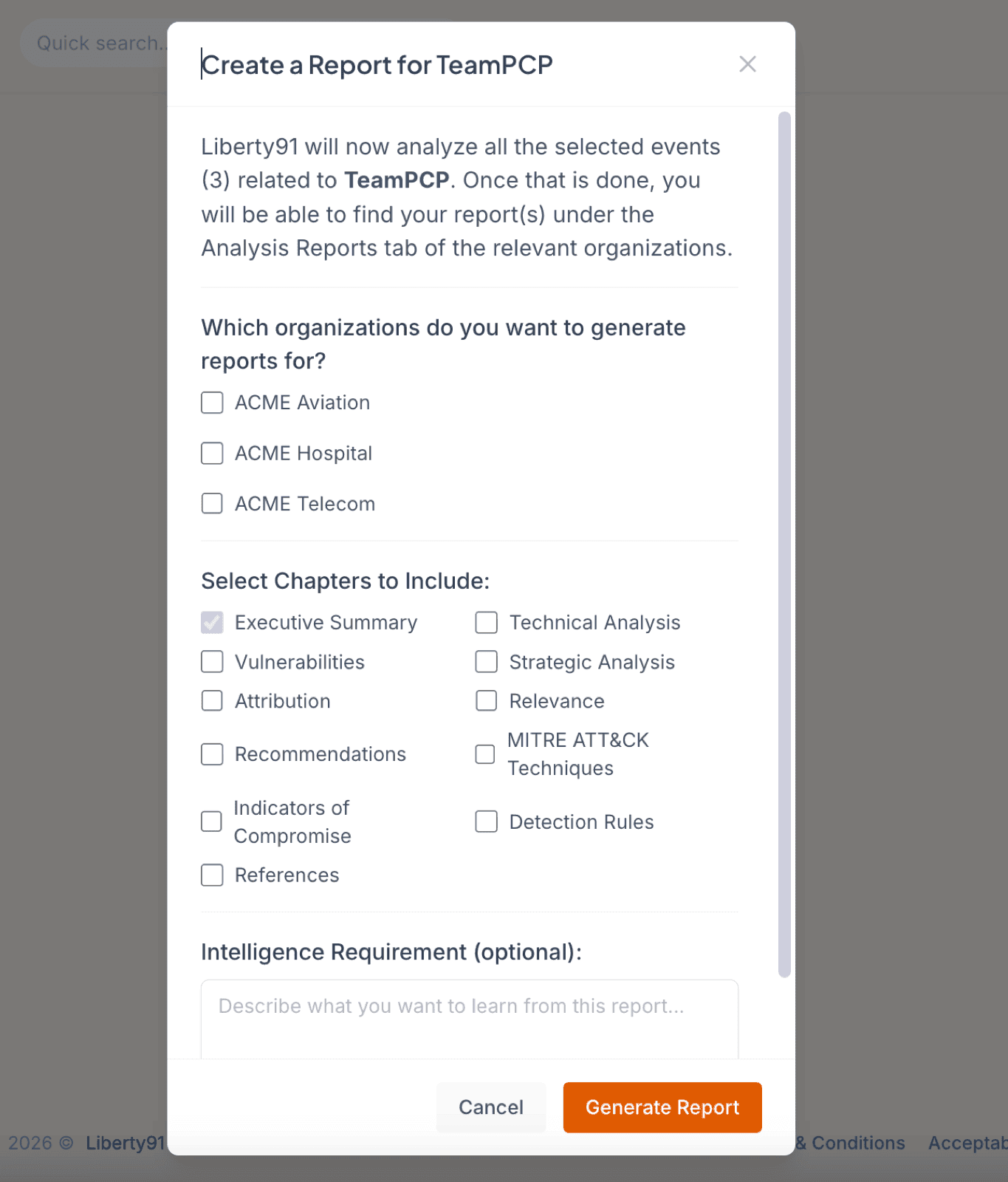
- Choose one or more Organizations. Each report is customised for the Organization it is created for.
- Select the chapters you want to include in the report.
- Optionally set a specific Intelligence Requirement or topic to focus the report on a particular angle.
- Generate the report.
Tip
The generated reports land under each Organization's Intelligence Packages, ready to review and stage for mailing.
Was this page helpful?