
Generate a report from search results.
Last updated 4 Jul 20261 min read
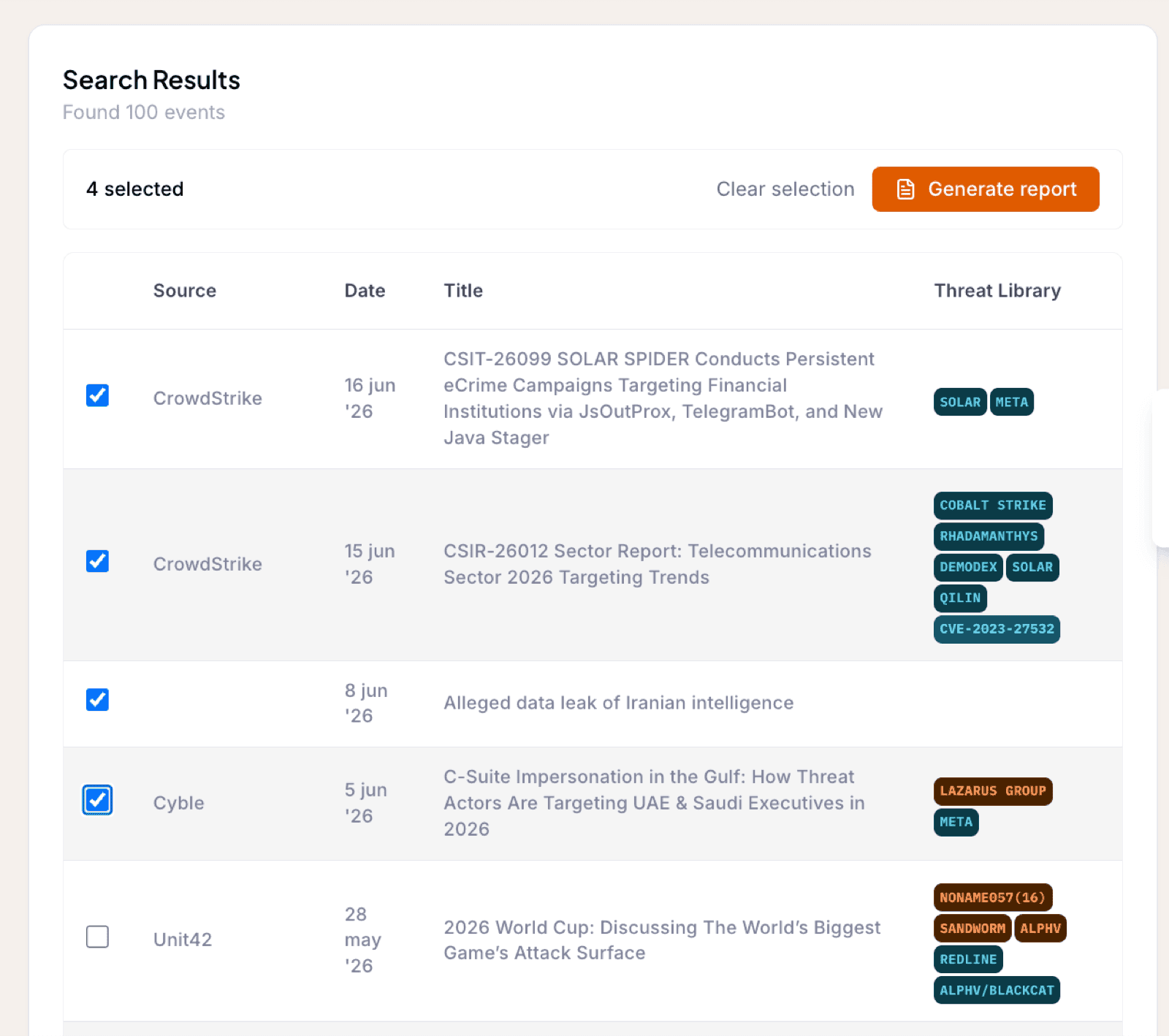
Reporting is not limited to one event at a time. From the Event Search results you can select the events that matter, up to 50 of them, and generate a single tailored Intelligence Package covering all of them. It is the natural follow-up to a good search: first narrow the results down to the events you care about, then hand the whole set to the AI agents to report on.
How it works
- Run a search and tick the checkbox on each event you want in the report. Your selection survives paging, so you can move through the result pages and keep selecting, up to 50 events.
- A bulk action bar appears once you select the first event. Click Generate report.
- The report dialog opens, the same one you know from reporting on a single event: choose the Organization the report is for and the chapters it should include.
Generation runs in the background, and you are notified the same way as for any other report. The finished package appears with the rest of your intelligence reports, under the Organization you generated it for.
Note
Preview results can be selected too. Any previews you include are added to your account's feed as part of the report.
Was this page helpful?