
Customise your Morning Reports.
Last updated 14 Jun 20261 min read
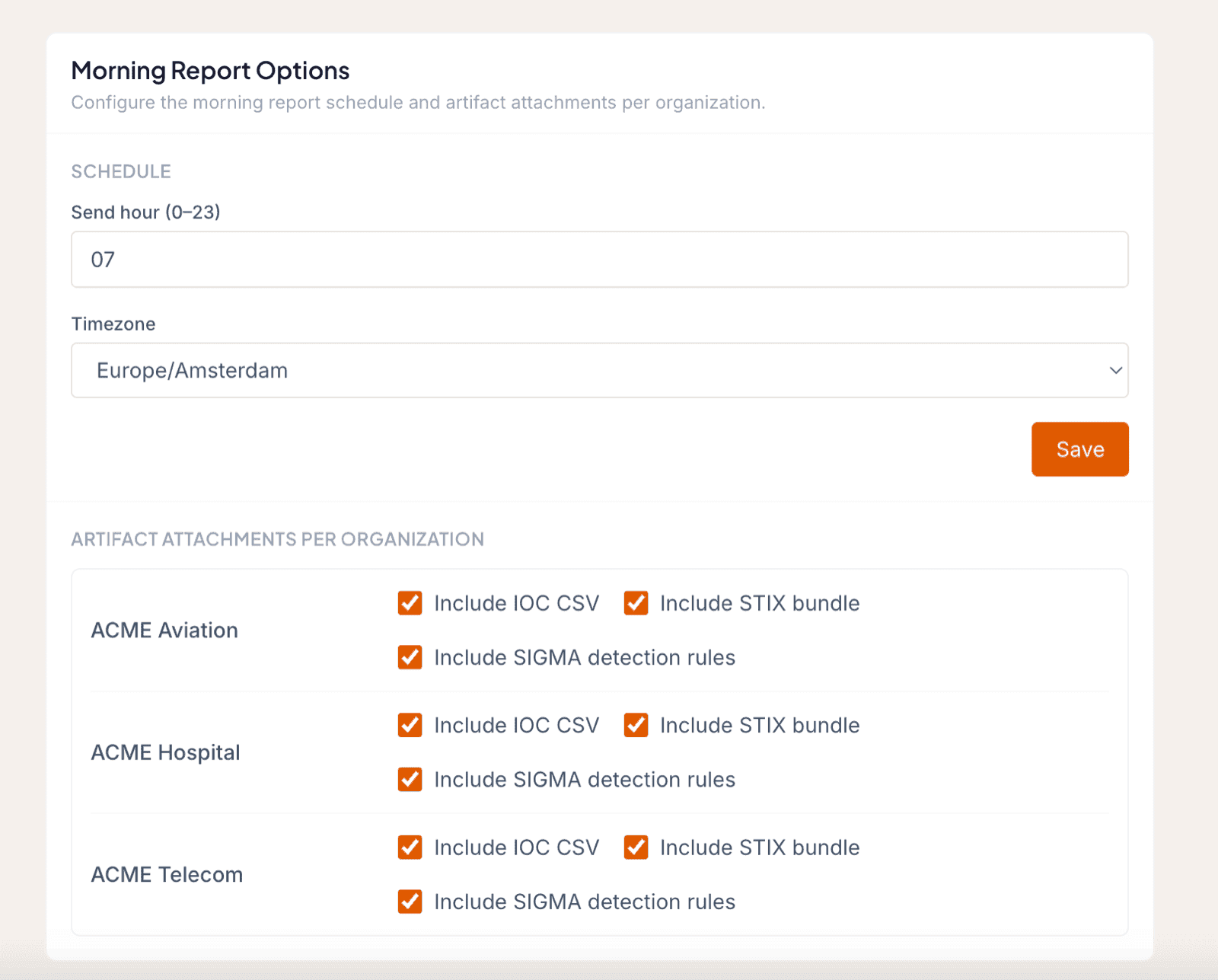
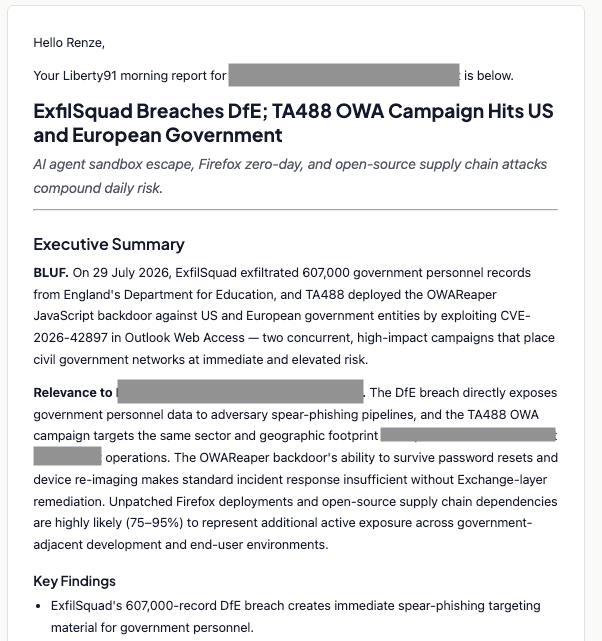
Morning Reports give your Stakeholders and Users a daily summary for each Organization. You control when they arrive and what they contain. Set the send hour and timezone once, then choose per Organization which artifacts to attach.
Set the schedule
- Open Organization Profile from your avatar in the top right corner.
- Scroll to Morning Report Options.
- Set the hour you want the Morning Reports to go out to your Stakeholders and Users.
- Set the timezone you are in.
Choose the artifacts per organization
For each Organization, choose which artifacts to include:
| Artifact | Description |
|---|---|
| IOC lists | The indicators of compromise gathered for the report |
| STIX bundles | Machine-readable STIX packages of the report data |
| SIGMA rules | Detection rules generated for the report |
Note
An artifact is included only when it is available for that Morning Report and you have selected it for the Organization.
Customise the look of the reports
To change how the Morning Report emails and PDFs are designed, use the white-label guides: white-label email templates for the email design, and white-label report branding for the PDF report design. Both let you brand the reports that reach your Stakeholders.
Was this page helpful?