
Seed Organization Documents.
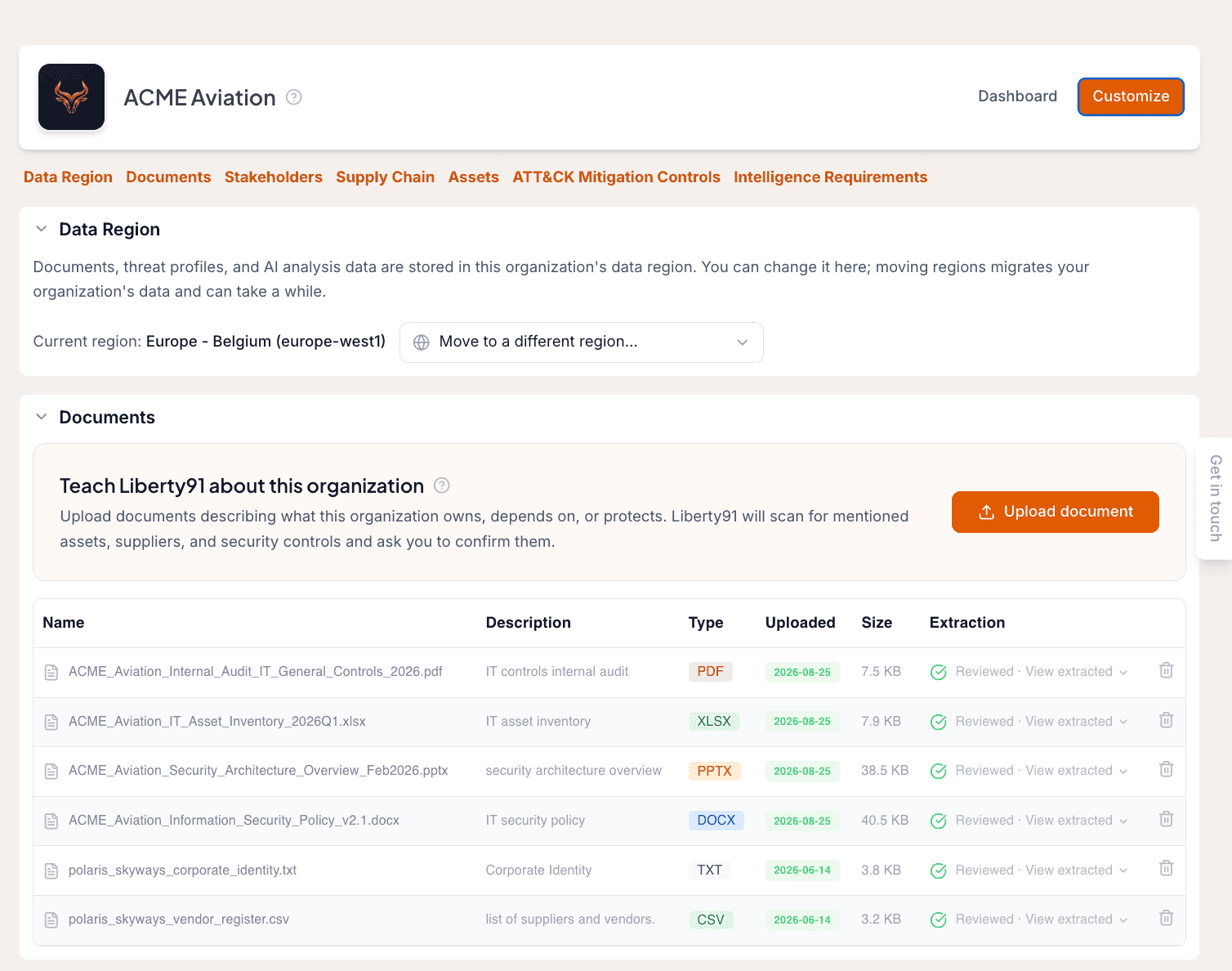
The fastest way to make Liberty91's output specific to an Organization is to give it one document. Open the Organization, click Customize, and use Upload document in the Documents section. Liberty91 reads the file, extracts the assets, suppliers and security controls it finds, asks you to confirm them, and commits the rest to memory so the agents can use it. This page shows you what to upload and what the platform does with it.
Why upload documents
You can add Assets and Suppliers one by one, but uploading a document or spreadsheet is far easier and goes further. Documents are not limited to lists. Useful things to upload include:
- Asset inventories, software lists and vendor registers
- Internal audit reports and security policies
- Vendor risk assessments
- Corporate identity documents and security architecture overviews
- Previous threat profiles, network topology maps and risk registers
Upload anything that helps the agents understand the Organization. Every time a new Threat Event arrives it is checked against what the agents know, so richer context means fewer relevant threats slip through and better explanations of why an occurrence matters to you.
How extraction works
- Open the Organization and click Customize at the top of the page.
- In the Documents section, click Upload document and choose your file. PDF, Word, PowerPoint, Excel, CSV and plain text all work.
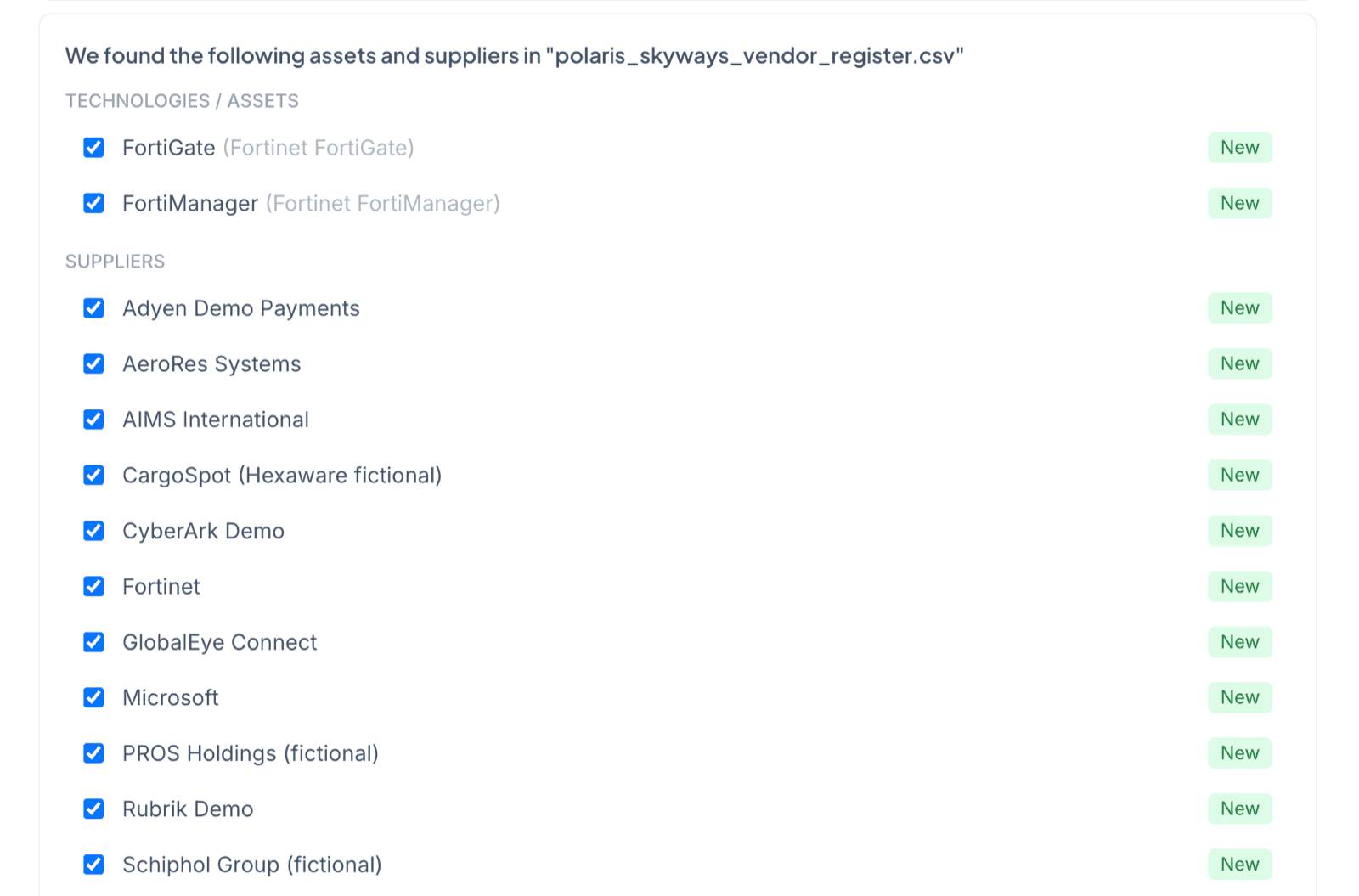
- Liberty91 scans the document for assets, suppliers and security controls and asks you to confirm what it found.
- Select the entities you want to link to the Organization. The platform creates them and tracks them from then on.
When the document contains assets or suppliers, Liberty91 shows you what it found so you can confirm before anything is created.
Extracted Assets and Suppliers behave exactly like ones you add by hand, and the security controls you confirm are listed under the Organization's ATT&CK Mitigation Controls section. To understand the full role of documents in an Organization's profile, see Documents.
One document is enough to start. Once you have confirmed what it found, the Organization's dashboard starts surfacing the Threat Events that touch those assets and suppliers, alongside the sector and region matches it was already making.
Frequently asked questions
What happens to the assets, suppliers and controls found in a document?
Liberty91 extracts them and asks you to confirm what it found, then creates and tracks the ones you select for the Organization. From then on every incoming Threat Event is matched against them.
What kind of document should I upload first?
Anything that describes what the Organization owns, depends on or protects. An asset inventory, an audit report, a vendor register or a corporate identity deck all work, and one document is enough to start.
Do I have to fill in a form?
No. The extraction reads the document for you. You only confirm what it found.