
Users and Roles.
Last updated 14 Jun 20262 min read
Add your team to Liberty91 and give each person the right level of access. You invite members from your Organization Profile and assign one of four roles. This page shows you how to send an invite and explains what each role can do.
Invite a member
- Open your profile settings by clicking your avatar in the top right corner, then go to Organization Profile.
- Go to Members.
- Click Invite member.
- Enter the member's email address. First name, last name, and role are optional at this stage.
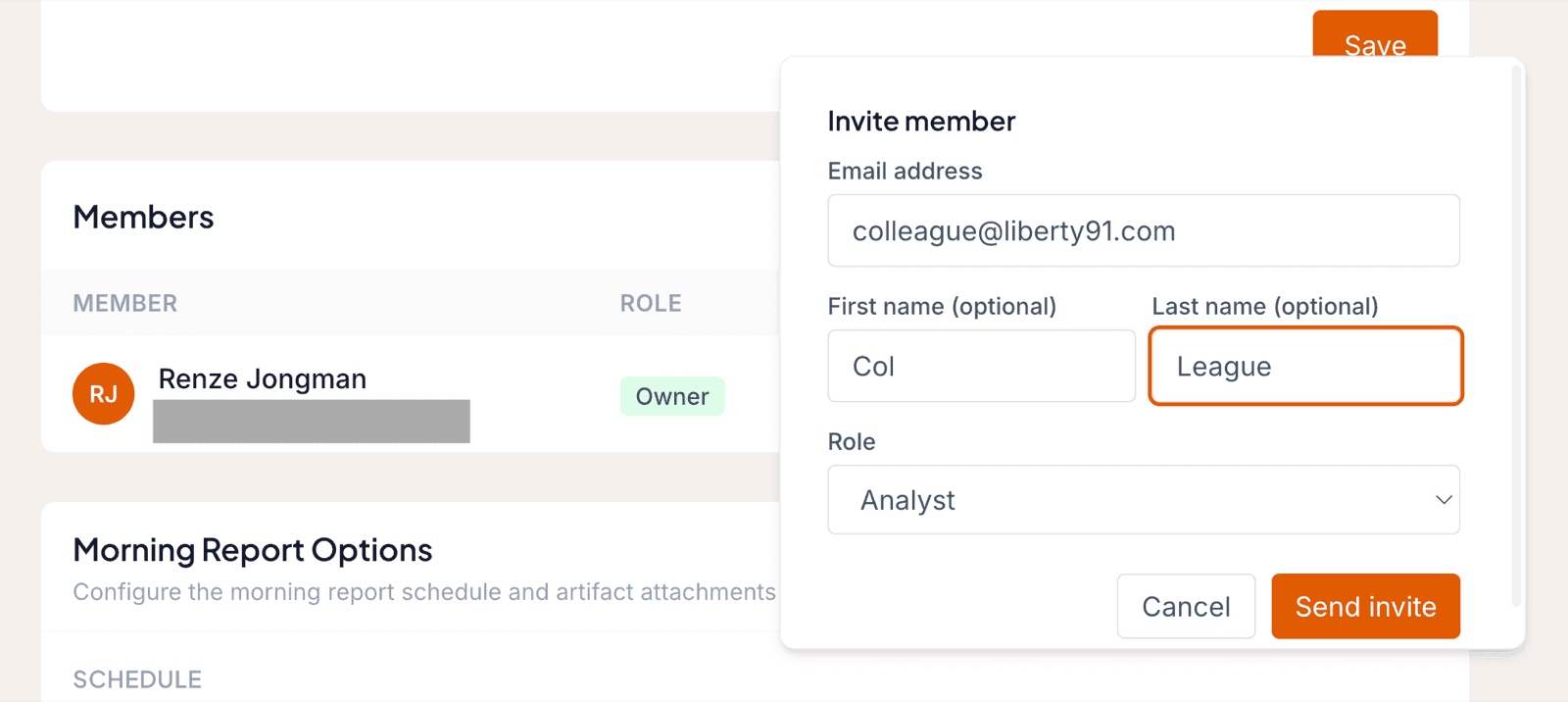
Create accounts for everyone you want working on the platform. As the first user, you have Owner permissions. Other users can be Admins, Analysts, or Viewers.
The four roles
| Role | What they can do |
|---|---|
| Viewer | Read-only access. Can read Events, Threat Events, and the Threat Library, but cannot generate reports or act on Enrichment Opportunities. |
| Analyst | The most common role. Full use of the platform's analysis, including generating reports, editing Organizations (uploading or removing Documents and Stakeholders), and setting up, editing, and sending Alerts and reports. |
| Admin | Everything an Analyst can do, plus inviting, changing, and removing users and editing the email and report templates. |
| Owner | Everything an Admin can do, plus making subscription changes for the account. The first user on the account is the Owner. |
For the complete permission matrix, see User roles and permissions.
Frequently asked questions
Who is the Owner of a new account?
The first user on the account is the Owner. Owners can make subscription changes; you can invite other users as Admins, Analysts, or Viewers.
Was this page helpful?