
CrowdStrike Intelligence module.
The CrowdStrike module connects Falcon Intelligence to Liberty91. Once it is on, the platform imports CrowdStrike intelligence reports, data-exposure notifications, and Recon alerts as events, enriches the indicators of compromise that come in with every event, and pulls CrowdStrike's threat-actor profiles into your Threat Library. You need an active CrowdStrike licence for this module to work.
You need an active Falcon Intelligence licence, and permission in the CrowdStrike Falcon portal to create an API client.
What the CrowdStrike module does
The module works in three ways:
- Report collection. It imports CrowdStrike intelligence reports, data-exposure notifications, and Recon notifications as events in your Recent Threats dashboard.
- Entity profile enrichment. When an actor turns up in your Threat Library, Liberty91 reaches out to CrowdStrike, finds their profile for that actor, and uses it in the enrichment and associations.
- IOC enrichment. For every event, if an IOC matches something CrowdStrike associates with a malware family or threat actor, the platform surfaces that association as an Enrichment Opportunity. Accepting it records the association against the entity.
How to connect CrowdStrike
Turning the module on takes two steps: create an API client in the CrowdStrike Falcon portal, then provide the credentials in Liberty91.
Step 1: Create an API client in Falcon
- Go to the CrowdStrike Falcon portal and open the sidebar from the hamburger menu in the top left.
- Choose Support and Resources, then API clients and keys.
- Click Create API client.
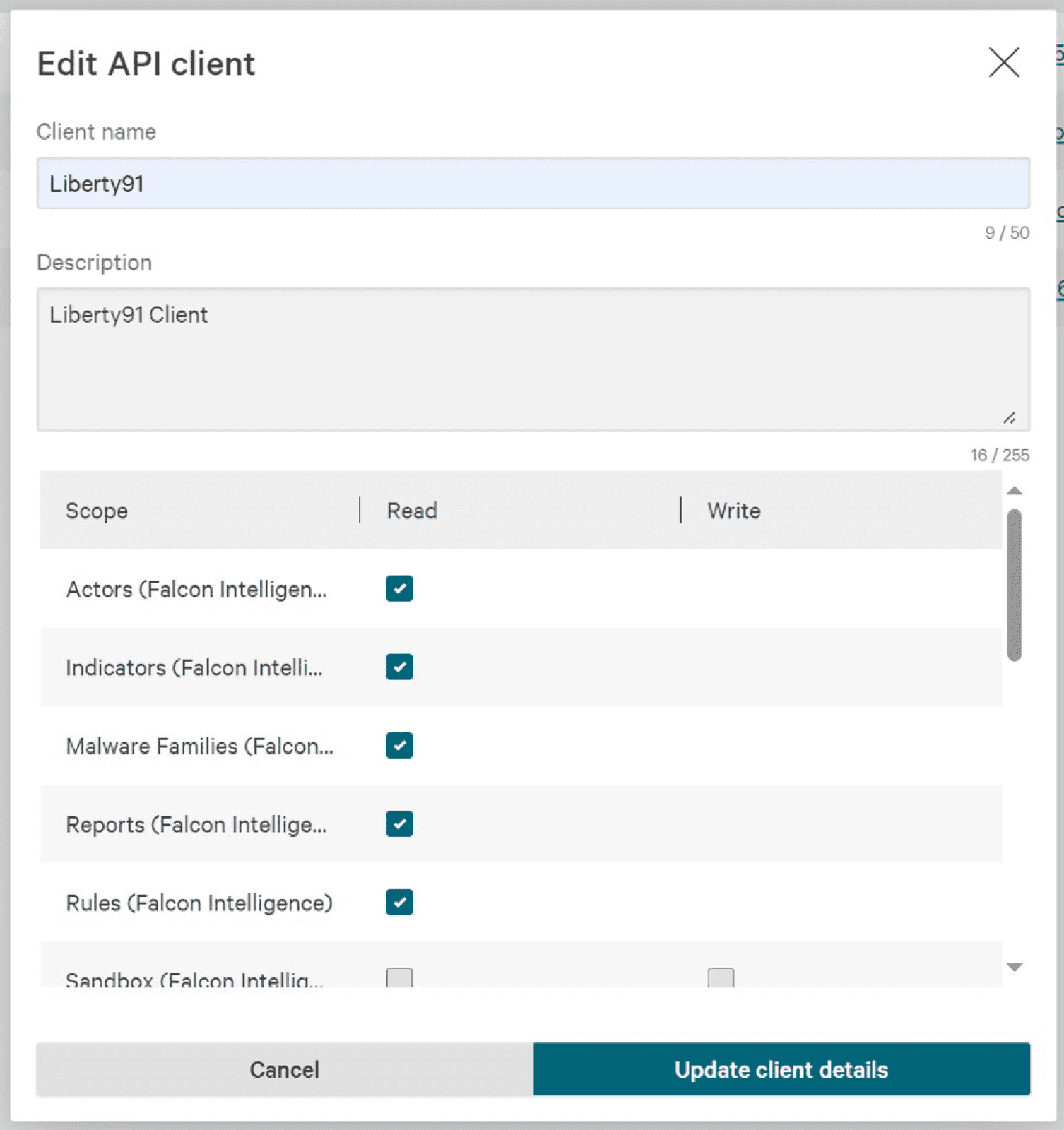
- Give the client a name and description, for example name
Liberty91and descriptionLiberty91 Client. - Under Scopes, tick Read for: Actors (Falcon Intelligence), Malware Families (Falcon Intelligence), Reports (Falcon Intelligence), Vulnerabilities (Falcon Intelligence), Monitoring rules (Falcon Intelligence Recon), and Scheduled Reports.
- Click Update client details. A dialog shows the base URL, client ID, and client secret. Note all three down now, because the secret is not shown again.
Step 2: Provide the credentials in Liberty91
- In Liberty91, go to Modules and open the CrowdStrike Intelligence module under Collection modules.
- Paste the base URL, client ID, and client secret into the matching fields.
- Set the module to Active and click Update.
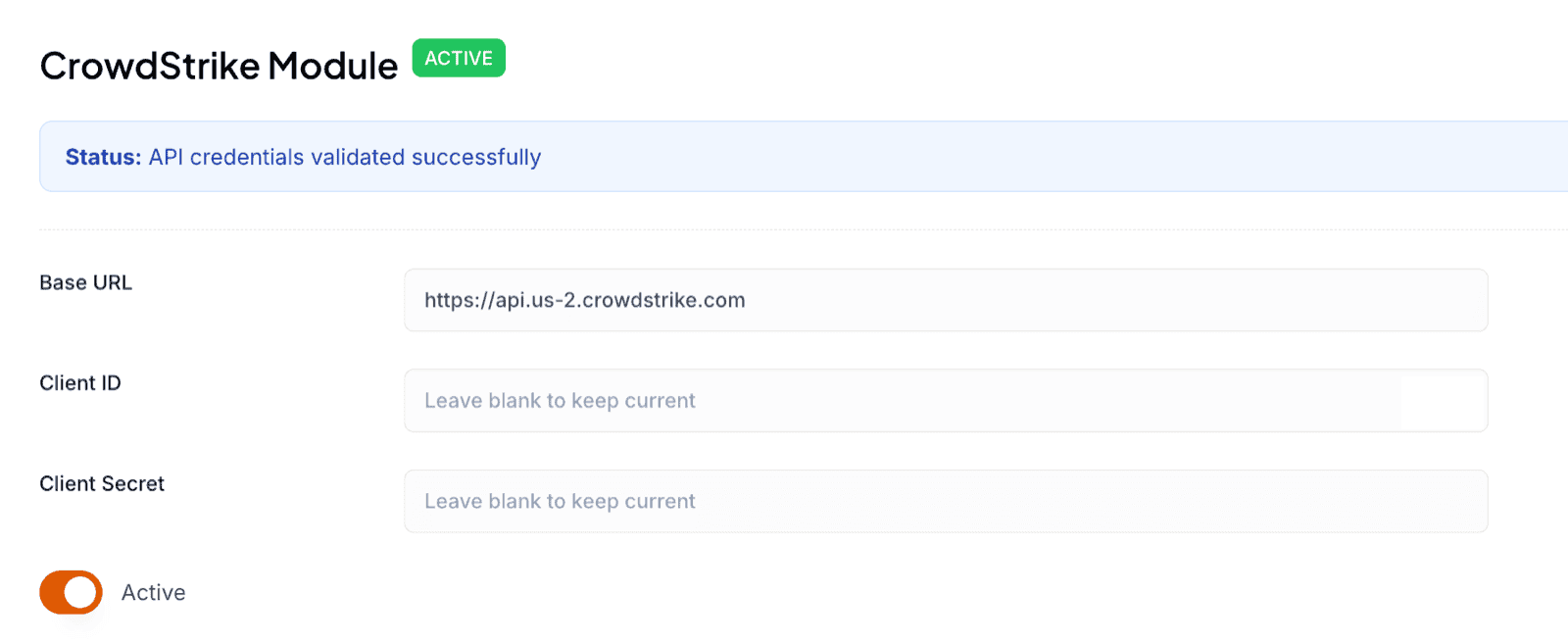
Once it is active, CrowdStrike reports begin importing and IOC enrichment runs on new events automatically.
Frequently asked questions
Do I need my own CrowdStrike licence?
Yes. The module requires an active Falcon Intelligence licence and permission in the Falcon portal to create an API client.
Which Falcon API scopes does Liberty91 need?
Read on Actors, Malware Families, Reports, and Vulnerabilities under Falcon Intelligence, plus Monitoring rules under Falcon Intelligence Recon and Scheduled Reports.
What does the CrowdStrike module bring in?
Three things: intelligence reports, data-exposure notifications, and Recon alerts as events; CrowdStrike threat-actor profiles for entity enrichment; and IOC enrichment against CrowdStrike's malware-family and actor associations.