
MISP module.
The MISP module connects one or more MISP instances to your Liberty91 account. It plays two roles: as an analysis source it enriches IOCs by checking your MISP for hits and suggesting linked threat actors or malware, and as a production destination it sends reports out of Liberty91 to MISP as STIX bundles. You need the URL and API key for each MISP instance you want to connect.
You need a reachable MISP instance, its URL, and the API key from your MISP configuration. An optional proxy URL is supported if your instance sits behind one.
MISP works as both an analysis module and a production module. The same connection enriches incoming IOCs and serves as a destination you can route Events and Alerts to.
How to connect a MISP instance
- In Liberty91, go to Modules, open the MISP module, and click Create New MISP Connection.
- On the setup page, provide a name for the instance, the MISP URL, and optionally the proxy URL.
- Enter the API key from your MISP configuration.
- Activate the connection.
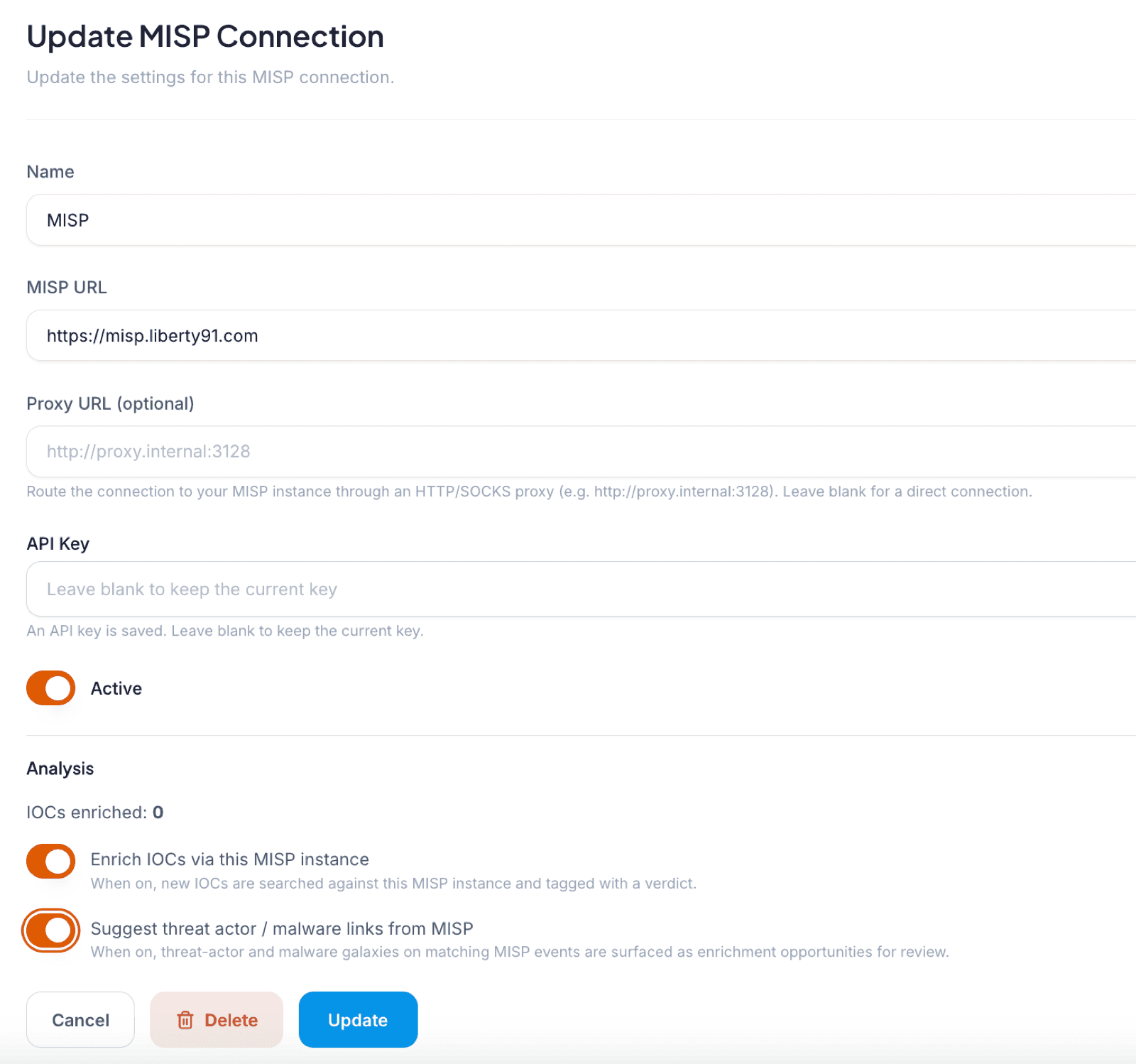
Enrich IOCs against your MISP
For every Event that carries IOCs, the module checks your MISP for a hit against your own events and surfaces the match in Liberty91. It also suggests the threat actors or malware those IOCs may be linked to in your MISP instance, so your analysis inherits context you already hold.
Send reports to MISP
You can send reports from Liberty91 to MISP as a STIX bundle, either directly from an Event or as the result of an Alert. For example, set up an Alert for "threats to the financial sector" and route every matching Event to MISP by selecting that instance as the receiving destination. For other production destinations, see the Webhooks module.
Frequently asked questions
What do I need to connect MISP to Liberty91?
A reachable MISP instance, its URL, and the API key from your MISP configuration. A proxy URL is supported if your instance sits behind one.
Can I connect more than one MISP instance?
Yes. The module supports multiple connections, each set up with its own name, URL, and API key.
In what format does Liberty91 send reports to MISP?
As STIX bundles, sent either directly from an Event or automatically as the result of an Alert you have routed to that MISP instance.