
X (Twitter) module.
Last updated 14 Jun 20261 min read
The X (Twitter) module is free, and it lets you follow security researchers on X. Their tweets populate the third column, on the far right of your Recent Threats dashboard. When you create your account, Liberty91 pre-adds 10 popular X accounts to get you started, and you can adjust that list at any time.
How to manage the accounts you follow
- In Liberty91, go to Modules and open the X (Twitter) module under Collection modules.
- To follow a new account, type its username into the Add X Account field. Leave off the
@sign. - To stop following an account, click the red bin icon next to its username. This also works for the 10 accounts Liberty91 pre-added.
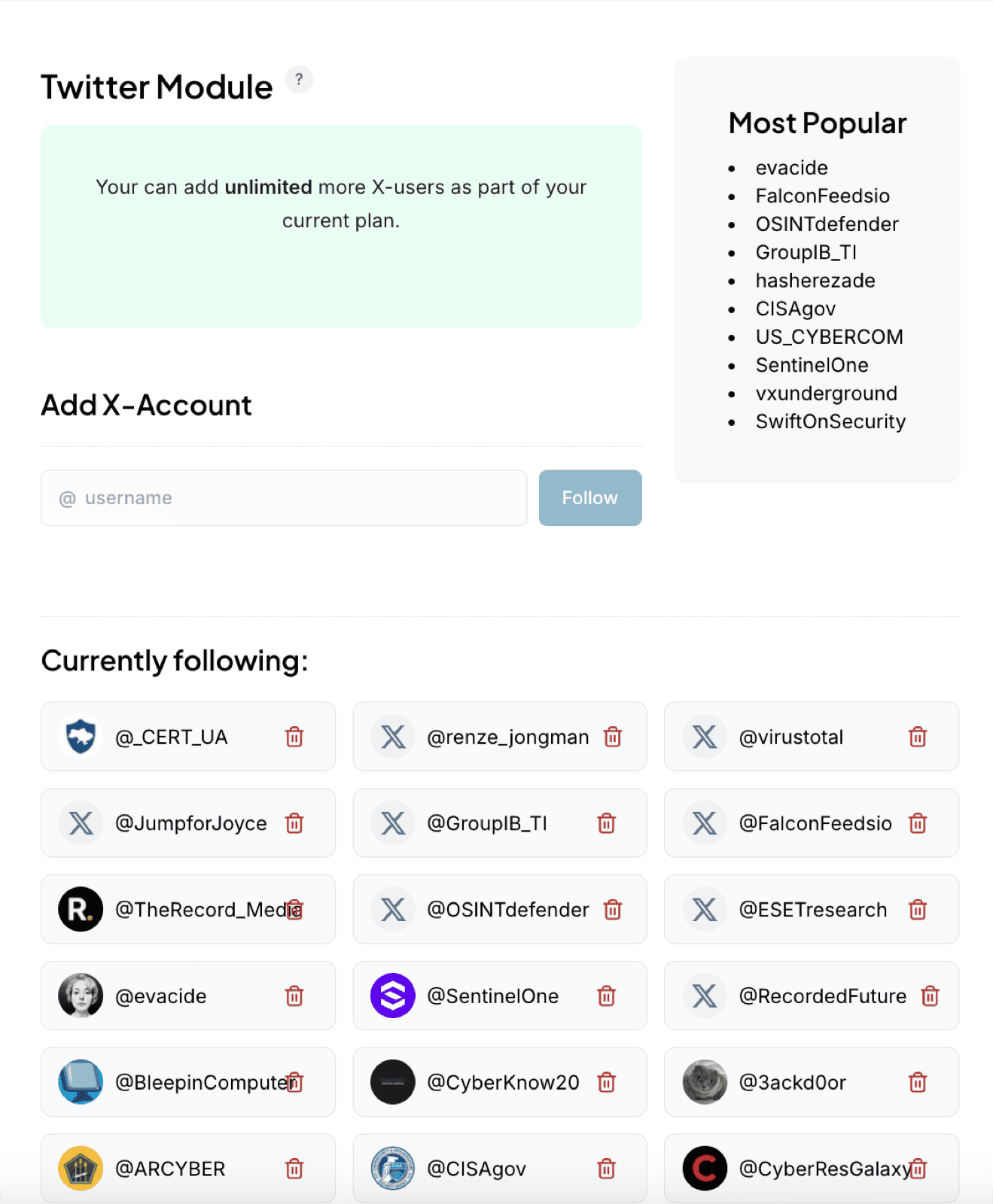
Tweets from the accounts you follow appear in the far-right column of your Recent Threats dashboard as they post.
Frequently asked questions
Does the X (Twitter) module cost anything?
No. It is free, and Liberty91 pre-adds 10 popular security accounts when you create your account.
How do I follow a new account?
Type its username into the Add X Account field in the module, leaving off the @ sign.
Can I remove the accounts Liberty91 pre-added?
Yes. Click the red bin icon next to any username, including the pre-added ones.
Was this page helpful?