
PDF Import module.
The PDF Import module turns a PDF report into an Event in your collection, then analyses and enriches it like any other Event. It is useful for reports that do not arrive through a feed: one of your own reports, a report a peer emailed you, a PDF downloaded from the internet, or an online report you saved as a PDF. You provide a title and source, point it at the file, and the new Event flows into your dashboard.
How to import a PDF
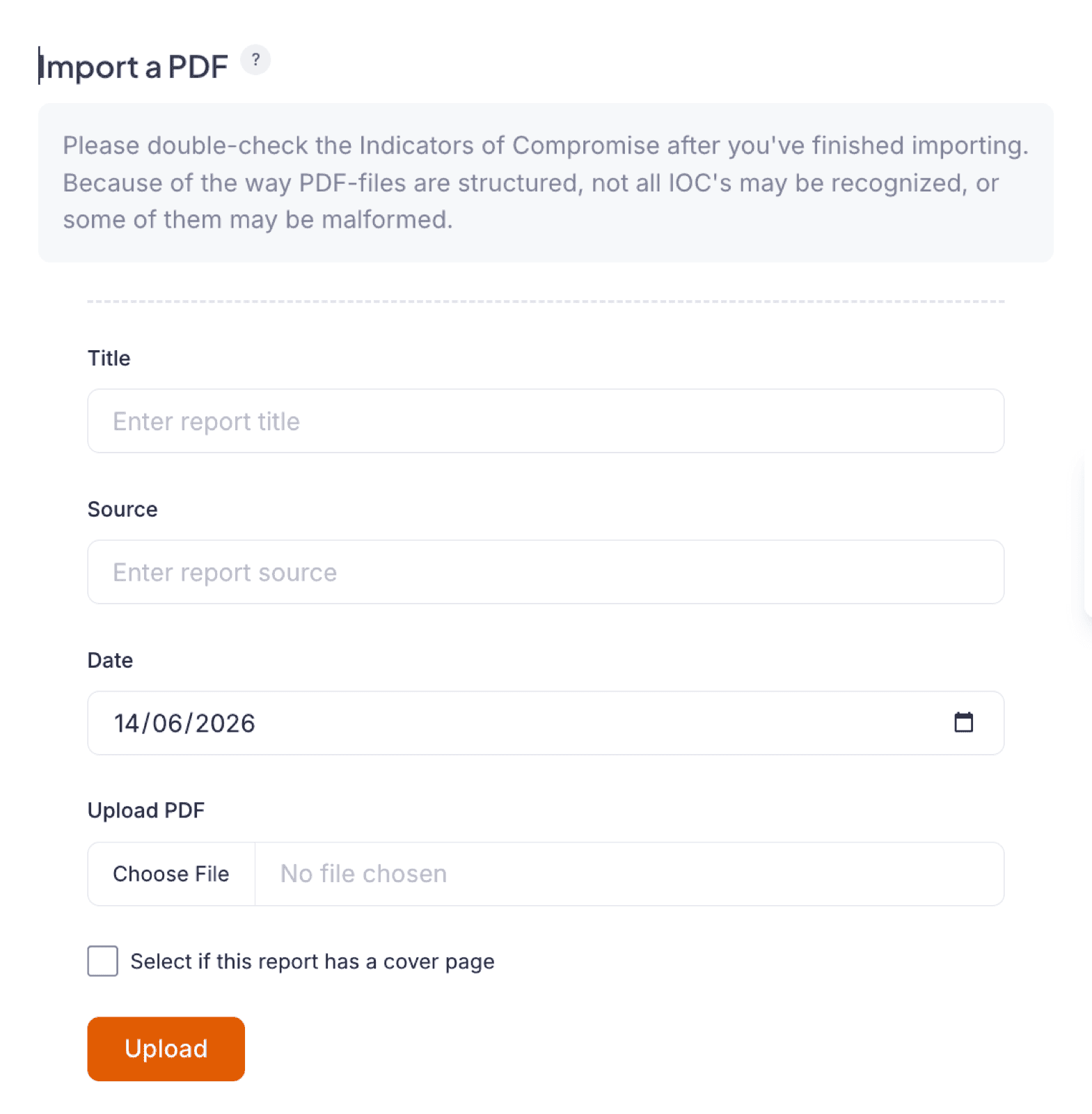
- In Liberty91, go to Modules and open the PDF Import module under Collection modules.
- Enter the report title.
- Enter the source, the name of the person or organization you received the report from.
- If the report has a title page, tick the cover-page box. Liberty91 then skips the first page, which keeps a hard-to-parse title page from scrambling the Event.
- Choose the PDF from your machine and click upload.
The new Event appears in the middle column of your Recent Threats dashboard. Liberty91 analyses and enriches it for mentioned threats, Assets, MITRE ATT&CK techniques, and IOCs.
Double-check the extracted IOCs. PDFs are hard to parse, so some indicators may not come through cleanly. A quick review before you act on them avoids carrying a malformed indicator forward.
Frequently asked questions
What kinds of PDF can I import?
Any report that does not arrive through a feed: one of your own reports, a report a peer emailed you, a PDF downloaded from the internet, or an online report you saved as a PDF.
Why is there a cover-page option?
Title pages are hard to parse and can scramble the resulting Event. Ticking the box tells Liberty91 to skip the first page.
Are IOCs from a PDF as reliable as those from a feed?
Check them. PDFs are hard to parse, so some indicators may not come through cleanly, and a quick review before you act on them avoids carrying a malformed indicator forward.