
FalconFeeds module.
The FalconFeeds module imports the threat feed from FalconFeeds.io straight into your Liberty91 tenant. Each incoming Event is enriched exactly like any other: checked for relevance, scanned for threats, IOCs, and MITRE ATT&CK techniques, and matched against your Assets and Suppliers. To use it you need at least a FalconFeeds Business subscription and your FalconFeeds API key.
You need at least the FalconFeeds Business subscription. Lower tiers do not include API access.
How to connect FalconFeeds
Connecting the module takes two short steps: generate an API key in the FalconFeeds portal, then paste it into Liberty91.
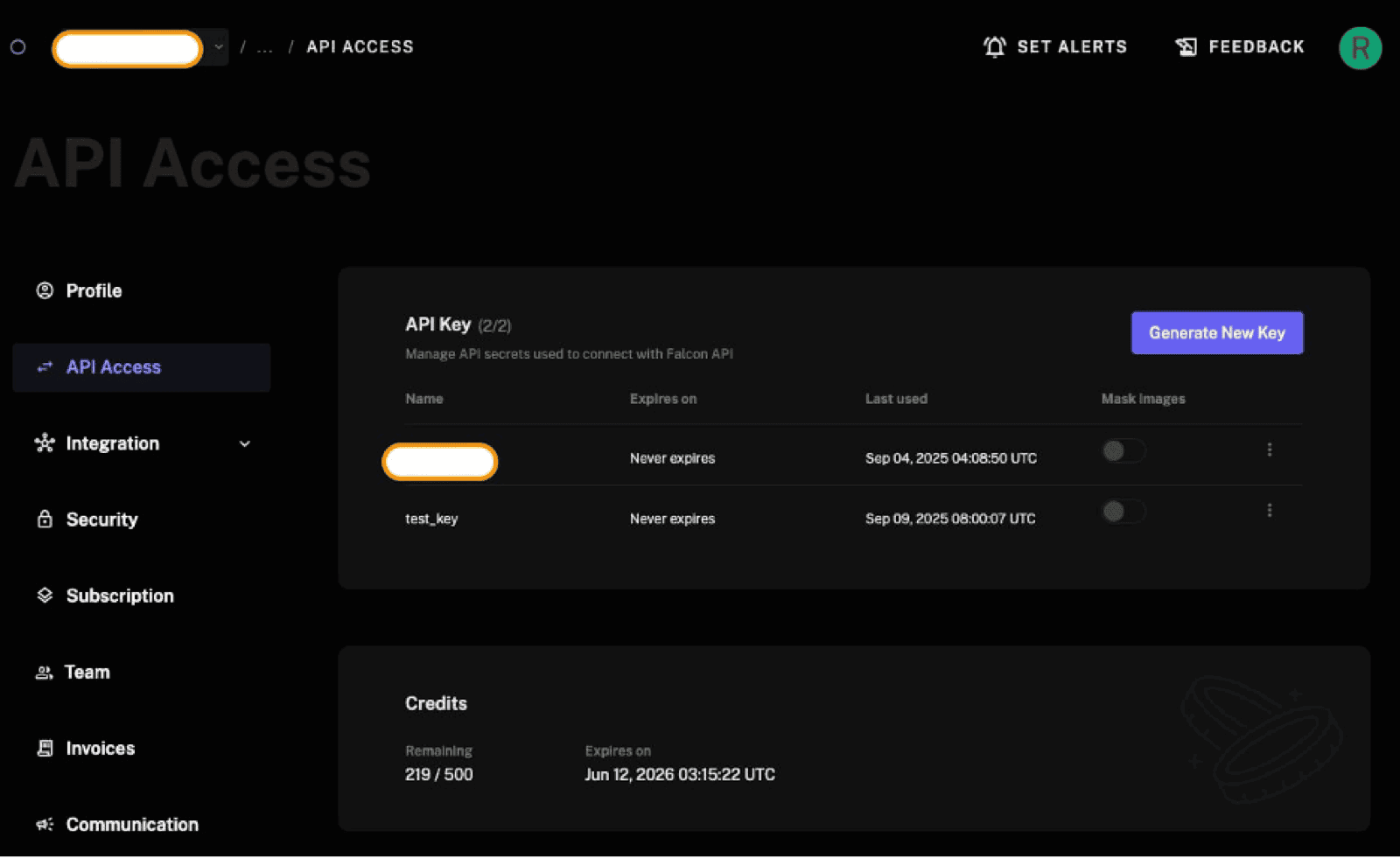
Step 1: Generate a FalconFeeds API key
- Open your FalconFeeds API page directly, or log in to the portal, skip to the dashboard, click your profile avatar (a circle with the first letter of your name), and choose API Access.
- Click Generate New Key.
- Name the key
Liberty91and set it to never expire. - Copy the key from the pop-up immediately. It is shown only once, so if you lose it you have to generate a new one.
Step 2: Paste the key into Liberty91
- In Liberty91, go to Modules and open the FalconFeeds module under Collection modules.
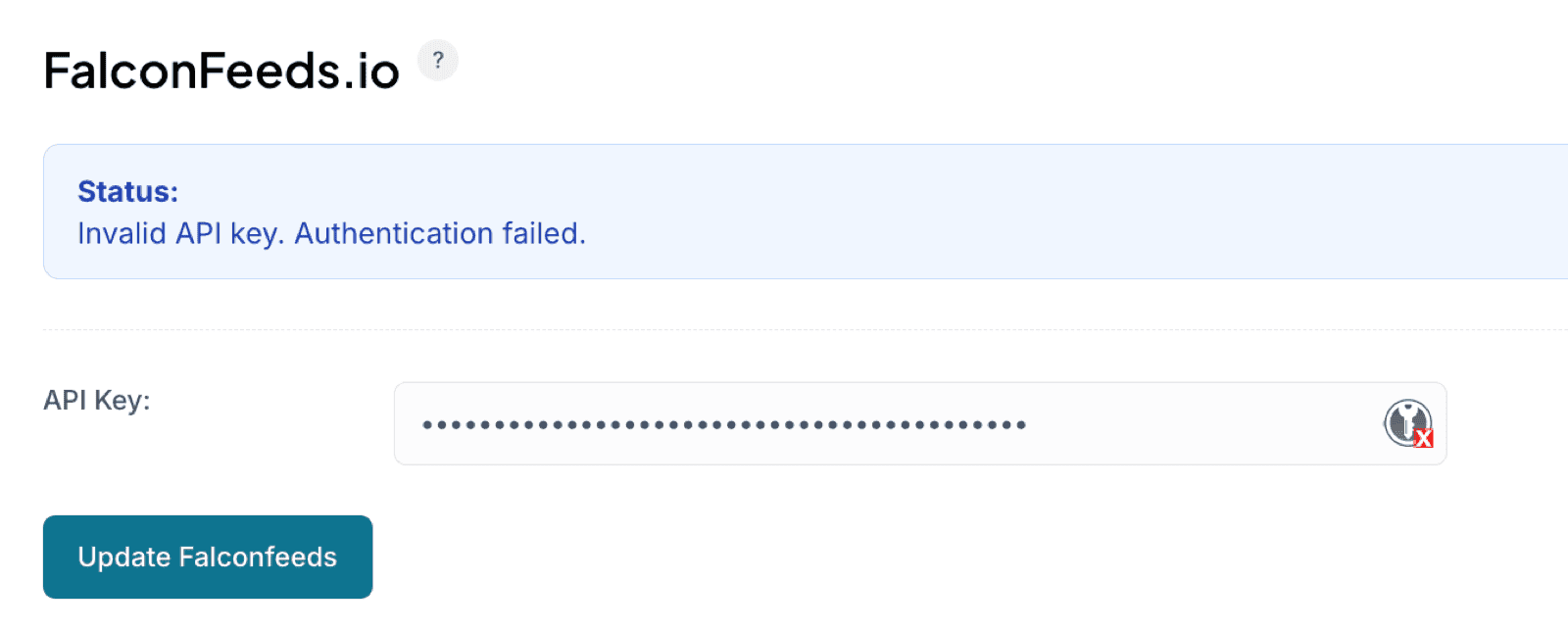
- Paste your API key into the key field.
- Save the module. New Events start flowing in immediately.
New Events appear in your Recent Threats dashboard and are enriched automatically.
Activation consumes between 1 and 10 API calls, then about 496 calls per month after that, well within a Business subscription's allowance.
Frequently asked questions
Which FalconFeeds subscription do I need?
At least the Business subscription. Lower tiers do not include API access.
What happens if I lose the FalconFeeds API key?
You have to generate a new one. The key is shown only once, in the pop-up at the moment you create it.
How many FalconFeeds API calls does the module use?
Between 1 and 10 on activation, then roughly 496 per month, comfortably inside a Business subscription's allowance.